How to choose a professional domain name Published: 18 Jun, 2026
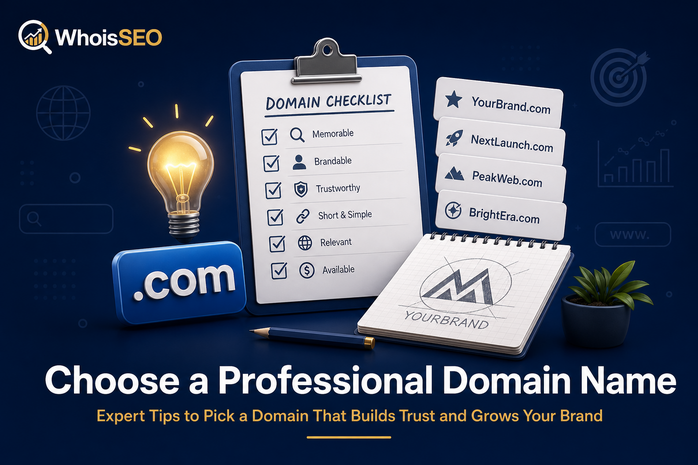
Your domain name is often the first impression of your brand online. A professional name is short, trustworthy, easy to spell, and aligned with what you actually sell or publish. Poor choices—hyphenated misspellings, obscure TLDs, or trademark conflicts—create friction for years.
This guide walks through practical rules for choosing a professional domain, checking availability, evaluating TLDs, and verifying competitors or alternatives with WhoisSEO WHOIS and DNS lookup tools.
Start with brand clarity
Before brainstorming strings, define:
- Brand name — exact legal or marketing name.
- Audience — local, national, or global.
- Product category — helps avoid generic names that are impossible to rank.
The best domain usually matches the brand users already hear in conversation—not a keyword-stuffed phrase unless you run a pure SEO publication.
Rules for professional domain names
- Keep it short — ideally under 15 characters before the TLD.
- Easy to spell — avoid silent letters and unusual spellings unless you have a huge ad budget.
- Easy to pronounce — word-of-mouth and podcasts matter.
- Avoid hyphens and numbers — they signal legacy or low-trust sites to many users.
- Skip double meanings — run the name past native speakers in target markets.
- Check social handles — consistent @username across platforms helps recognition.
Choosing the right TLD
.com remains the default for global businesses. Alternatives make sense when:
- Country ccTLD —
.de,.fr,.aefor local trust. - Industry gTLD —
.iofor tech startups,.shopfor retail (evaluate case by case). - Nonprofit —
.orgfor missions and communities.
Read .com vs .net vs .org and what is a TLD?
Research before you buy
- WHOIS availability — see if the name is registered and when it expires.
- Trademark search — USPTO, EUIPO, or local databases.
- Search engine check — existing brands with similar names.
- Archive history — expired domains may carry spam penalties (check domain age).
- Social and app stores — avoid confusion with major apps.
Professional vs “SEO hack” domains
Exact-match domains (EMDs) like best-cheap-insurance-quotes.com rarely carry the weight they did a decade ago. Google rewards helpful content and reputation. A clean brand domain plus strong pages outperforms keyword cramming in the URL for most businesses.
More: does domain affect SEO?
When to buy multiple domains
- Defensive registration — common typos and TLD variants.
- Product lines — separate sites for distinct offers.
- Redirects — old brand names pointing to the new primary domain with 301 redirects.
Do not build duplicate sites on every variant—consolidate authority on one canonical host.
Common buying mistakes
- Registering at inflated “premium” prices without checking standard registries.
- Ignoring auto-renewal and losing a live business domain.
- Using a personal email you might lose access to.
- Skipping WHOIS privacy on personal home addresses.
- Buying from marketplace listings without escrow for high-value names.
See common mistakes when buying domains.
After you register
- Enable registrar lock and two-factor authentication.
- Point DNS to hosting (connect domain to server).
- Set up branded email on your domain.
- Submit sitemaps and verify in search consoles.
Worked examples (good vs weak)
Strong: harboranalytics.com for a data consultancy—brandable, pronounceable, .com trust.
Weak: best-cheap-analytics-tools-online-2026.com—long, spammy, hard to share verbally.
Contextual: berlinplumber.de—local ccTLD with service keyword can work for hyper-local SEO when paired with quality pages.
Negotiating premium domains
If your ideal name is taken, brokers and marketplaces (Sedo, Afternic) may facilitate purchase. Use escrow for five-figure deals, verify seller ownership via WHOIS, and never wire funds without a contract. Sometimes a slight brand tweak (getharbor.com) is cheaper than chasing a parked premium.
Accessibility and international audiences
Avoid domains that confuse screen readers or non-English speakers. IDN domains can help local markets but may complicate email and legacy systems—evaluate domain basics first.
FAQ: choosing a domain name
Should I include keywords? Only when natural. Brandable names age better than keyword lists.
Is .com mandatory? Not legally, but users default to .com when typing from memory.
How many domains should I buy? One primary plus defensive typos if budget allows—avoid building duplicate sites.
Can I rename later? Yes with 301 redirects, but expect temporary SEO fluctuation and marketing cost.
Verify every candidate with WHOIS before paying a premium broker.
Launch checklist for new domains
After registration, configure DNS deliberately: set apex and www records, verify MX if using Google Workspace or Microsoft 365, publish SPF and DKIM TXT records, and test from external resolvers. Submit your XML sitemap to search consoles only after HTTPS works on the canonical host. Document registrar login, DNS provider, and hosting credentials in a password manager—teams lose domains when the only admin leaves.
Re-check WHOIS annually for expiry dates, registrar lock status, and unexpected status flags. Attackers who compromise registrar accounts can transfer domains in hours if lock is off.
Conclusion
A professional domain name balances memorability, legal safety, and technical simplicity. Spend research time before purchase—renaming later costs SEO equity and customer trust. Verify availability and history with WHOIS, then configure DNS deliberately.
Related: What is a domain name? · Safely buy a domain · WHOIS lookup