What is a VPN? Published: 18 Jun, 2026
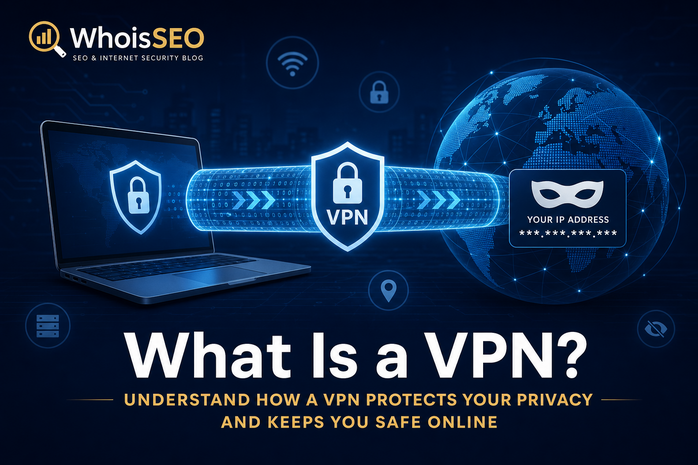
A VPN (Virtual Private Network) creates an encrypted tunnel between your device and a VPN server on the internet. Instead of connecting directly to websites, your traffic exits through the VPN’s IP address—hiding your real public IP from those sites and masking your activity from local network observers (café Wi‑Fi, ISP DNS logging on local queries).
This guide explains how VPNs work, legitimate use cases, limits, safety considerations, and how to verify your exposed IP with WhoisSEO IP lookup.
How a VPN works (simplified)
- You install a VPN client and authenticate.
- The client builds an encrypted tunnel to a VPN server.
- All (or selected) traffic routes through that server.
- Websites see the VPN server’s IP and location—not your home ISP IP.
- The VPN provider can still see traffic unless additional protections (Tor over VPN, etc.) are used.
Common reasons people use VPNs
- Privacy on public Wi‑Fi — encrypts local network segment exposure.
- Remote work — access internal corporate resources securely.
- Geo-restricted content — may violate service terms; legality varies.
- Censorship circumvention — sensitive jurisdictions; research local laws.
- ISP throttling — hides destination from ISP (not from VPN provider).
VPN vs proxy
Proxies relay application traffic (often HTTP only) without full-device tunneling. VPNs typically route OS-level traffic with stronger encryption. Compare VPN vs proxy.
What VPNs do not do
- They do not make you fully anonymous—VPN companies, payment methods, and browser fingerprints remain.
- They do not stop cookies, account logins, or malware.
- They do not hide traffic from the VPN operator itself—choose trustworthy providers.
- They may not bypass sophisticated fraud systems that flag datacenter IPs.
Are VPNs safe?
Reputable paid VPNs with audited no-logs policies and modern protocols (WireGuard, OpenVPN) are generally safe for privacy-conscious users. Free VPNs may monetize by logging, injecting ads, or selling bandwidth. Read is VPN safe?
Detecting VPN IPs
Websites and fraud engines maintain lists of VPN/datacenter ranges. IP lookup may label addresses as hosting or proxy. That is why VPN users sometimes fail CAPTCHAs or bank logins—risk engines treat shared VPN egress skeptically.
DNS leaks
If DNS queries bypass the tunnel, your ISP may still see which domains you resolve even though web traffic is encrypted. Test for DNS leaks after connecting.
How to test your VPN
- Note your IP without VPN on IP lookup.
- Connect to VPN; reload lookup—IP and country should change.
- Confirm DNS servers belong to the VPN, not your ISP.
- Check WebRTC leaks in browser privacy tests if you are high-threat.
Legal considerations
VPNs are legal in many countries but restricted or banned in others. Using a VPN to commit fraud or bypass sanctions is illegal regardless of technology. Employers may prohibit VPNs on corporate devices.
Business VPN vs consumer VPN
Corporate VPNs (IPsec, SSL VPN appliances) grant access to internal subnets—different threat model from privacy VPNs. Split tunneling routes only work traffic through VPN while Netflix traffic exits locally—convenient but leaks DNS if misconfigured.
Protocol overview
Modern services prefer WireGuard for speed and simpler codebases; OpenVPN remains widespread; legacy PPTP should be avoided. Protocol choice affects battery on mobile and throughput on gigabit fiber.
FAQ: VPN questions
Will VPN hide me from my ISP? It hides browsing destinations from ISP DNS if configured correctly—not from the VPN company.
Can Netflix detect VPNs? Often yes—streaming services block known datacenter ranges.
Should I use VPN on mobile? Useful on public Wi‑Fi; may drain battery on always-on setups.
How do I confirm it works? Compare IP on IP lookup before and after connecting.
Choosing a VPN provider
Evaluate jurisdiction, published audits, warrant canaries, payment options, server locations, and simultaneous device limits. Open-source clients reduce trust assumptions. Avoid extensions that only proxy browser tabs while torrent clients leak on the real IP. Corporate users should prefer IT-approved VPNs with logging aligned to policy.
After major political or network events, VPN signups spike—providers may slow down; test latency to nearby servers before annual subscriptions.
Journalists and activists in high-risk regions may combine VPNs with Tor and dedicated devices—consumer VPN marketing oversimplifies those threat models.
Always read the provider privacy policy: some free VPNs explicitly state they share aggregated analytics with advertisers.
Enterprise security teams increasingly inspect VPN traffic with MDM policies on managed laptops—personal VPNs on corporate hardware may violate acceptable-use policies even when technically functional.
For remote workers, split tunneling can expose internal hostnames to home routers; full tunneling adds latency to video calls—IT departments tune policies per role.
Conclusion
A VPN encrypts traffic and masks your public IP by exiting through a remote server. It is a useful privacy layer—not invisibility. Pick providers carefully, verify leaks, and understand that destination websites see VPN attributes, not your home network.
Related: What is an IP address? · How IP banning works · IP lookup